
Small business website checklist
The 9pm checklist: is your website doing its job?
Three checks you run yourself, on your phone, in about a minute. Here's what your website should do when someone finds you at 9pm.

By Franklin Nwangene, co-founder of ConversionArk
November 14, 2026 · 5 min read
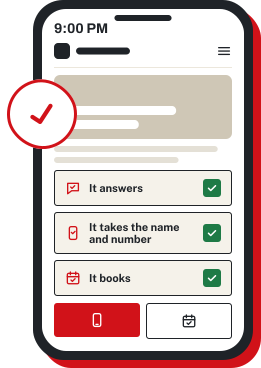
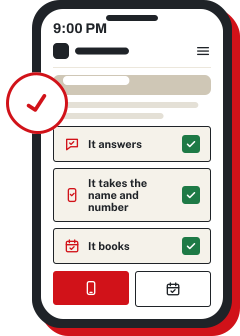
If someone found your business at 9pm tonight, what would your website tell them?
You're off the clock, or still finishing a job. Your phone's in your pocket. And somewhere in your area, someone who needs exactly what you do is looking at your website, deciding whether to call you or the next business on the list.
This checklist is how we judge every website we build. You can run it on your own site right now, on your phone, in about a minute.
Why 9pm?
Most people don't choose a business at a desk during office hours. They choose when they need you: in the evening, between jobs, on a phone.
So your website is often where the decision gets made, and you're not there to help. At 9pm, it has three jobs to do on its own.
How to run the 9pm website test
Pick up your phone, not your computer. Search for your business the way a customer would, and open your website from the results. Then go down the list below and answer each line yes or no. Be strict: if you have to hunt for it, it's a no.
Check 1: does it answer?
Can a visitor see, in a few seconds, what they need to know to choose you?
Your main services are named in your customers' words on the first screen.
What you do and anything you don't do, if it saves wasted calls, is easy to find.
The area you serve (towns, counties, or "nationwide" if you work remotely) is on the first screen.
A ballpark, a starting price, or how your pricing works is shown.
How soon you can come or start is shown.
Proof is real: your reviews, your own photos, and licenses or insurance only if they're true.
Common questions and objections they have answered across your website.
Only show what's true and what you're happy to stand behind. If you'd rather not show a price, say how your pricing works instead, for example "free estimate on site" or "most repairs quoted on the phone."
Check 2: does it take the name and number?
Can they reach you in seconds, without waiting for you to pick up?
A tap-to-call button is visible on every screen as you scroll. And how you handle missed calls during work hours to avoid next competitor taking the customer.
A short form (name, number, what they need) works, and your real reply promise sits right next to it.
Send yourself a test through your own form. Did it arrive? How long did it take you to see it? If your reply promise says "within the hour," make sure that's true at 9pm too.
Check 3: does it book?
Can they pick a time without you?
A booking calendar is one tap away, and it books into the calendar you actually use.
After someone books or sends the form, the site tells them what happens next.
Can't take bookings online? A "request a time" form that asks for a preferred day and time, and says when you'll confirm, still gives people a next step.
How to score it
All ten yeses, and your website is doing its job. Any no is a place where people are leaving.
No website yet? Then your Google listing is doing all the work on its own. It's a good start, and it gets you found. But it only shows the basics, so people who want more answers go looking elsewhere.
Pass means all three checks are there and working on a real phone. It's a standard you can check, not a promise of a number of calls.
Why most websites fail the 9pm test
Most websites weren't built to fail. They just weren't built for this.
They were built to look good, because looks are what owners get shown when they buy. A homepage mock-up, a color scheme, a nice photo. Nobody wrote down what the site has to do at 9pm, so nobody checked.
That's why a good-looking website can still miss all three checks. And it's why we start from the checks, not the colors.
What to fix first, if you're doing it yourself
You don't need a new website to make progress. If you're fixing your own site, start with these three:
Those three get you most of the way. Then put your real reply promise next to your form, and only promise what you'll keep.
When you don't need to change a thing
If your site passes all eleven lines, and if you're booked out for months on referrals and don't want more work, you may not need a better website right now. A website's job is to get the call when you want the call. If you don't, keep this checklist for when you do.
Rather have it done for you?
Every site we build at ConversionArk has to pass the 9pm Test, checked on a real phone, before you see it. One 5-minute call, and you'll see your own site working within 24 hours, guaranteed. Then you decide.
A 5-minute call with Franky, our AI Virtual Receptionist, starts your preview. First preview guaranteed within 24 hours, and Taylor and Franklin follow up personally.
Already have a website that fails a check?